Studio
Visual dashboard for managing Redenv secrets, environments, and tokens.
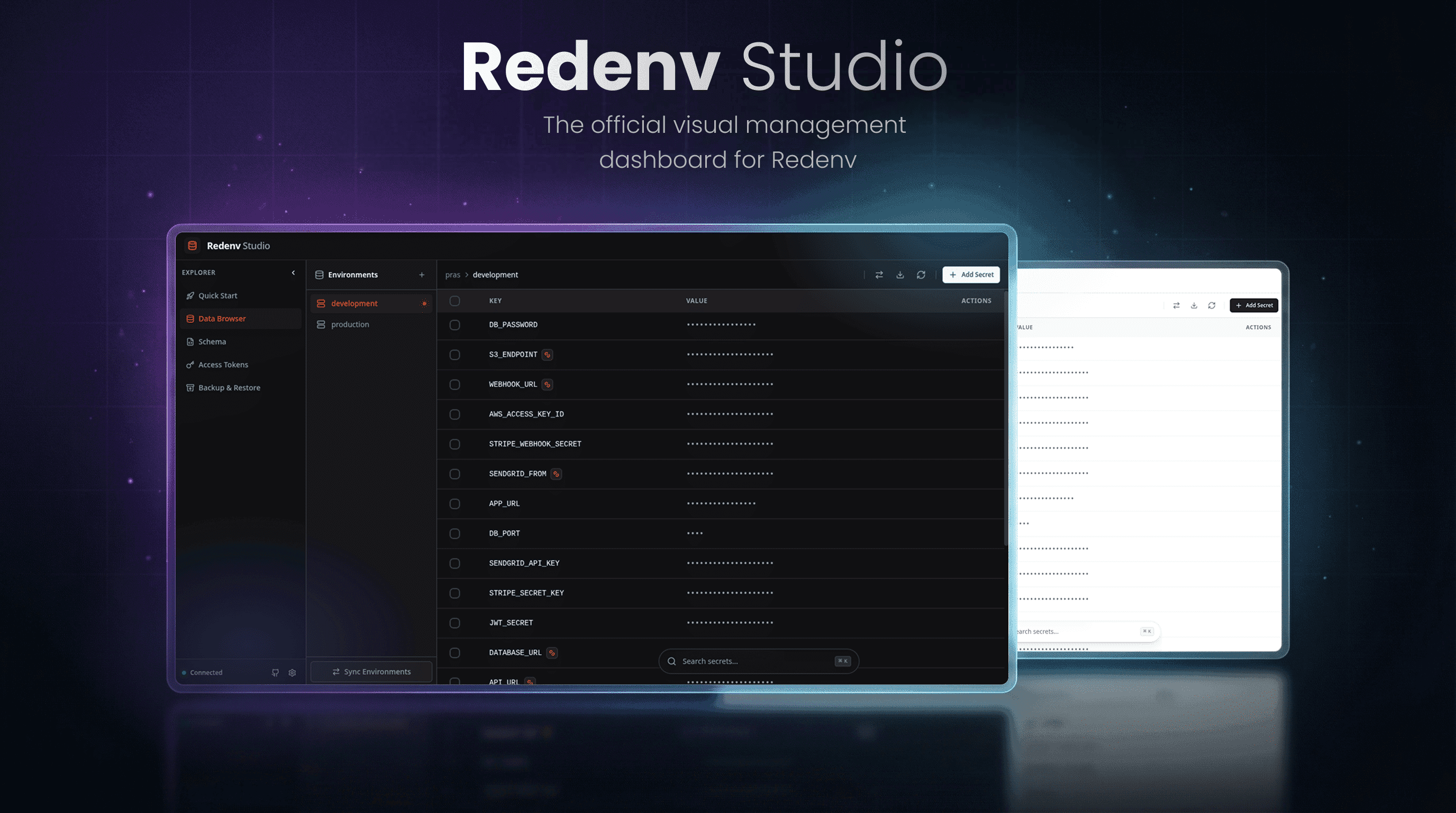
A local web dashboard for managing your Redenv project visually. Runs entirely on your machine, same zero-knowledge security as the CLI.
Installation#
npm install @redenv/studio -Dpnpm add @redenv/studio -Dyarn add @redenv/studio --devbun add @redenv/studio --devSetup#
Add the plugin to your redenv.config.ts:
import { defineConfig } from "@redenv/core";
import { studioPlugin } from "@redenv/studio";

export default defineConfig({
  ...,
  plugins: [studioPlugin],
});Launch#
redenv studioOpens http://localhost:7874 in your default browser.
Custom port:
redenv studio -p 8080Features#
Data Browser#
View, search, edit, and delete secrets across all environments. Create new secrets inline, perform bulk actions, and switch between environments from the sidebar.
Environment Management#
Create, clone, and delete environments. Sync keys between environments and export to .env or JSON formats.
Token Manager#
Generate and manage Service Tokens. View token metadata (name, created date, last used) and revoke tokens when needed.
Schema Visualizer#
Interactive graph showing your project structure — environments, secrets, and their relationships.
Backup & Restore#
Export your entire project to an encrypted backup file. Restore from backups with password verification and project scope checks to prevent cross-project restores.
Keyboard Shortcuts#
| Shortcut | Action |
|---|---|
F2 | Toggle dark/light theme |
Security#
Studio maintains the same zero-knowledge model as the CLI:
- All encryption and decryption happens locally
- No data is sent to external servers
- Uses your Master Password (prompts on first use)
- Session-based authentication with automatic expiration
Related#
- Plugin System — How plugins work
- CLI Commands — Command-line alternative
- Service Tokens — Token management
- GitHub Repository — Source code and issues